
Business Fax Cover Sheet Example Template Word
A business fax cover sheet is the first page of a fax sent from one company to another. It tells the receiver who the fax is from, who it is for, how many pages follow and what you need them to do. Below you will find free templates in PDF, PNG and Word, three filled-in examples for common business faxes, and a fax log sheet to keep a record of what you send.
Business Fax Cover Sheet

PDFPrint and fill inBest for: everyday company faxes
Business Fax Cover Sheet Template
A clean business layout for sending documents to clients, vendors and partners. Download it as a PDF or a PNG.

Business Fax Cover Sheet Example

PDFPrint and fill inBest for: a page with room for a logo
Business Fax Cover Page
A second design with space for your company name or logo. Use it when you want the page to carry your branding.
Business Fax Cover Sheet Template Word

WordBest for: typing your details
Business Fax Cover Sheet Word Template
An editable version you can type on and save with your company details already filled in.

What Is A Business Fax Cover Sheet?
It is a one-page summary placed in front of the documents you fax. A business cover sheet usually shows the company name and logo, the receiver’s name and fax number, the date, the number of pages and a short note about what is attached. Many offices that handle contracts, invoices, orders and records still use fax every day, and the cover sheet helps each fax reach the right person without anyone opening it to find out who it is for.
If you want a version aimed at lawyers, banks and government offices, see the professional fax cover sheet. For a lighter page, use the basic fax cover sheet.
Three Business Examples You Can Copy
These show what to write in the main fields for common business faxes. The names and numbers are made up.
| Field | Invoice to a vendor | Purchase order | Signed HR form |
|---|---|---|---|
| To | Accounts Payable, Bright Supply Co. | Sales Desk, Cedar Office Products | Human Resources, Harbor Health |
| From | Linda Park, Accounting | James Ortiz, Purchasing | Sam Rivera |
| Pages | 3 | 2 | 4 |
| Reference | Invoice 20458 | PO 7731 | Employee ID 5521 |
| Message | Invoice for October deliveries. Please confirm payment date. | Order for 20 cartons of copy paper. Please confirm the delivery date. | Signed benefits form. Please confirm it is on file. |
The reference line is the most useful part. It lets the person at the other end find the right account or order without calling you.
How Do You Make A Business Fax Cover Sheet?
You can start from any template above. To build your own in Word, use a table, which keeps every line neat:
- Open a blank Word document and type your company name and fax number at the top.
- Type FAX below it in large, bold letters.
- Click Insert > Table and choose 2 columns and 7 rows.
- In the left column type: Date, To, Fax number, From, Phone, Pages, Subject.
- Add a large box underneath for your message by inserting a one-cell table and dragging its bottom edge down.
- Save it as a PDF or a Word file and reuse it for every fax.
Keep the colors black, white and light grey. Dark blocks and pale text do not fax well.
Free Fax Log Sheet for Your Office
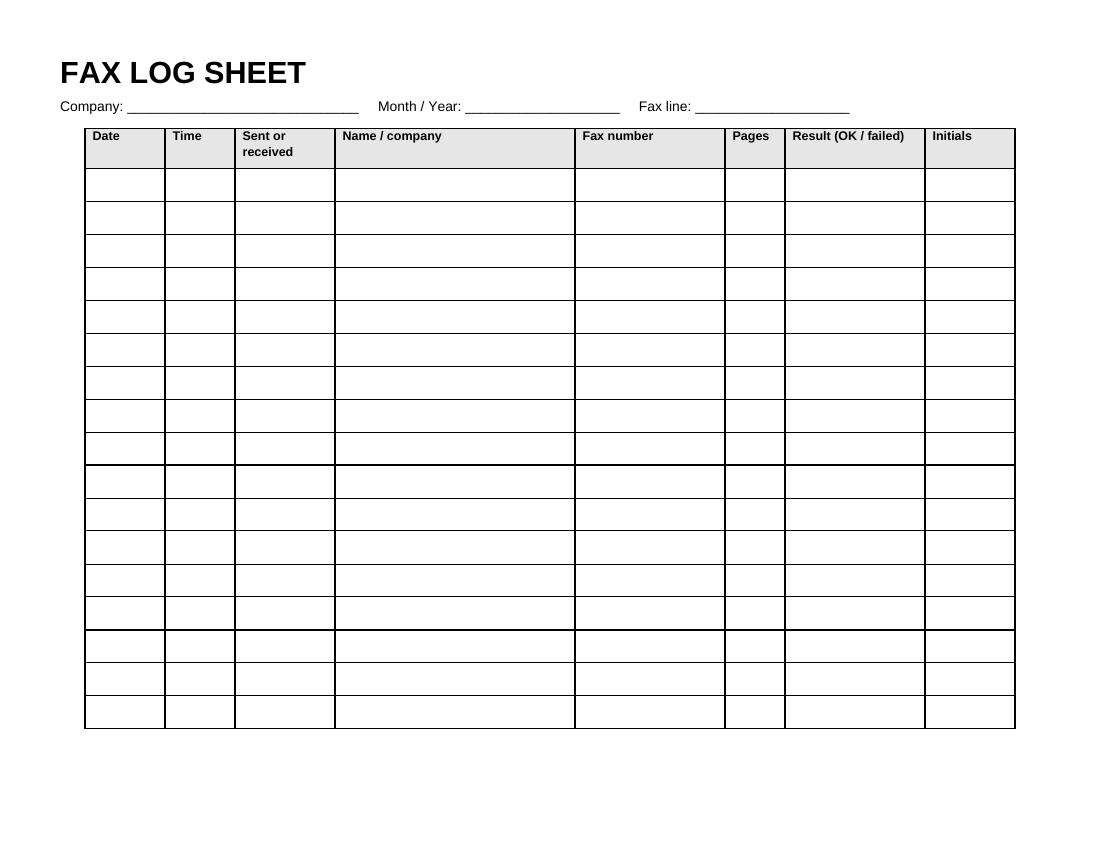
Businesses often need to prove that a fax was sent. A log sheet gives you a simple record of each fax: the date, time, who it went to, the fax number, the number of pages and whether it went through. Print one per month and keep it near the machine.
NewWordPDFBest for: tracking sent and received faxes
Fax Log Sheet
A landscape page with a company, month and fax line header and a table of 17 rows. The columns are date, time, sent or received, name or company, fax number, pages, result and initials.
Tips for Business Faxing
- Address it to a person or department, not only to the company.
- Write your own fax number on the sheet so the receiver can reply.
- Add a reference number such as an invoice, order or case number.
- Keep the confirmation page and file it with the log sheet.
- Keep private details off the cover sheet. Use a confidential fax cover sheet when the pages are sensitive.
For help with each field, read how to fill out a fax cover sheet. You can also browse fax cover sheet PDF templates.
Business, Professional or Standard?
| Choose | When |
|---|---|
| Business (this page) | Routine company faxes such as invoices and orders, plus a log sheet to track them |
| Professional | Formal faxes to lawyers, banks and offices, with a reference number and action line |
| Standard | Any fax, with tick boxes and a comments area |
| Simple | A quick page with only the basics |
FAQs
What is a business fax cover sheet?
It is the first page of a business fax. It lists the sender, the receiver, the date, the page count and a short message.
What should I put in the reference line?
Use an invoice, order, case or account number. It helps the receiver match your fax to their records.
Do I need a fax log?
It is not required, but it gives you a simple record of what you sent and when, which is useful if a fax is ever questioned.
Can I use these for free?
Yes. Download and print as many copies as you need.
Can I add my company logo?
Yes. Use the Word template, click Insert, then Pictures, and add a small black and white logo.