Blank Fax Cover Sheet PDF Printable Template
A blank fax cover sheet template is used to make a cover sheet. If you are looking to make your own fax cover sheet, check out the blank fax cover sheet Word and PDF files on this page and download a suitable one for your use. A fax cover sheet is an important document that individuals, businesses and professionals use to send and receive professional fax messages with a fax machine. If you work in a professional setting where faxing is done, make sure to have a well-structured fax cover sheet with you.
A fax cover sheet is useful when you send confidential information to the intended recipient. Check out the blank fax cover sheet printable PDF templates below and download a suitable one for your use. Not sure what goes in each field? Read how to fill out a fax cover sheet first.

PDFBest for: handwriting after printing
Blank Fax Cover Sheet PDF
With a cover sheet you can send extra information to the recipient, such as the contact details of the sender and the contact details and information of the recipient. Using a cover sheet is optional, but it makes your fax look more formal and professional. A cover sheet is also a branding tool for many companies and businesses.

PDFBest for: personal faxes
Blank Fax Cover Sheet Printable
These days, most businesses and companies have their own format of a cover sheet. If you want to make that format for your business or personal use, blank fax cover sheets are the best place to start. Download a blank cover page from here and add your own details to make a cover sheet for personal and professional work.
Fax machines are used to send messages and documents from one place to another. Faxing is still widely used, and many people trust it for sending documents.
Faxing is still common in many government and medical offices. If you run a business or work in a company where faxing is done, download a cover page template from here.

PDFBest for: a free, ready-to-print page
Free Printable Blank Fax Cover Sheet
Editable cover sheets are also shared here. Fill in the sender’s information, the name and fax number of the recipient, the total number of pages, the date of transmission and a short message. If you are sending confidential information, make sure to include a fax disclaimer.
You may also like:
- basic fax cover sheet
- personal fax cover sheet
- fax cover sheet google docs
- fax cover sheet pdf
- professional fax cover page
- editable fax cover pages
- confidential fax cover sheet
- IRS fax cover sheet
- standard fax cover page
- simple fax cover letter
- examples of fax cover sheet
- attention fax cover sheet

PDFBest for: work and business faxes
Blank Fax Cover Sheet Free Printable
A cover sheet should show the full name, contact details and fax number of both the sender and the recipient. Mention the purpose of the fax so the recipient knows what type of fax is coming their way and how to respond.
Blank Fax Cover Sheets You Can Type On
Prefer to type instead of writing by hand? These two blank templates come as Word files, and the first also has a PDF. They open in Word, and in Google Docs if you upload them to your Drive.
NewWordPDFBest for: any fax, with every field included
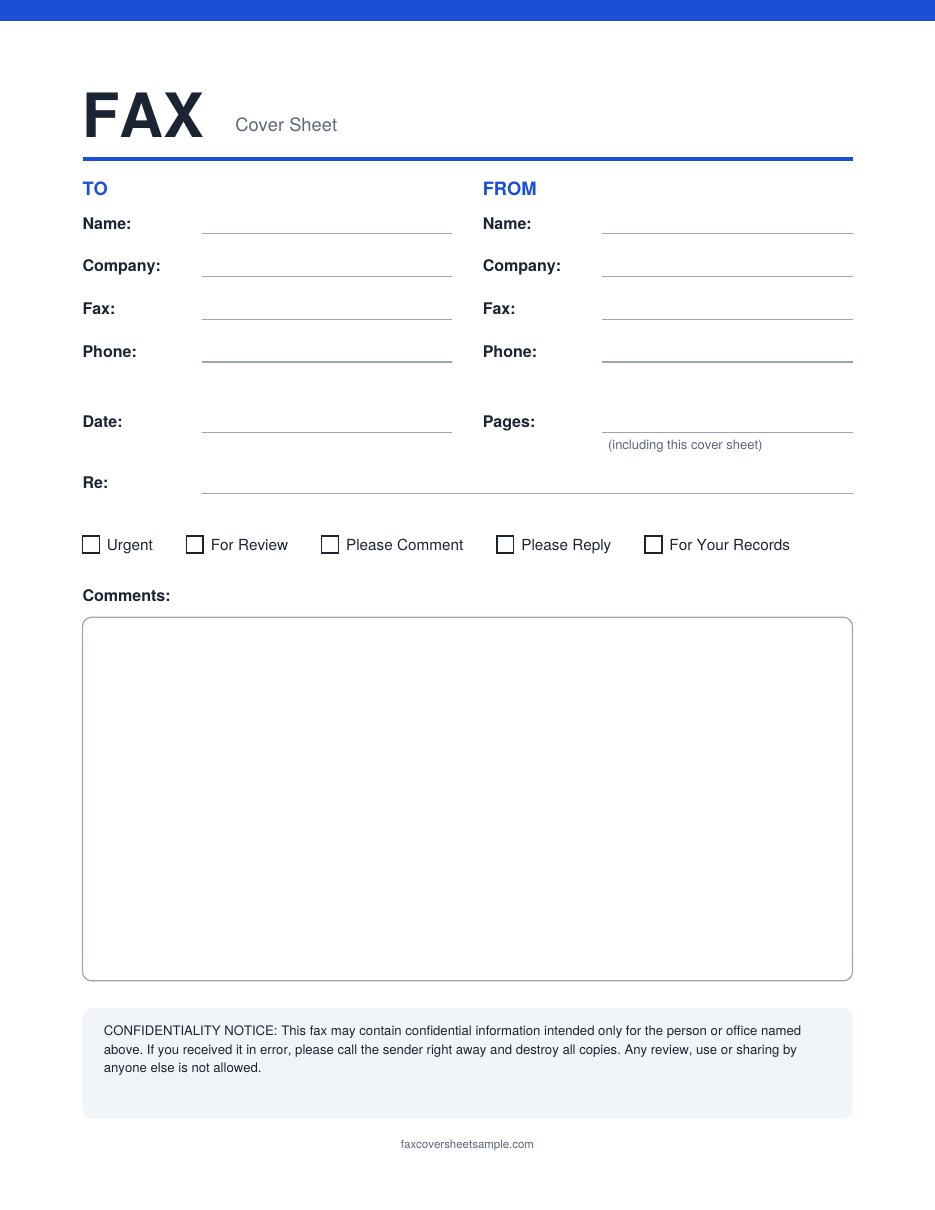
Standard Blank Fax Cover Sheet
To and From sections, date, pages and a Re line. Tick boxes for Urgent, For Review, Please Comment, Please Reply and For Your Records sit above a large comments box.
NewWordBest for: quick, everyday faxes
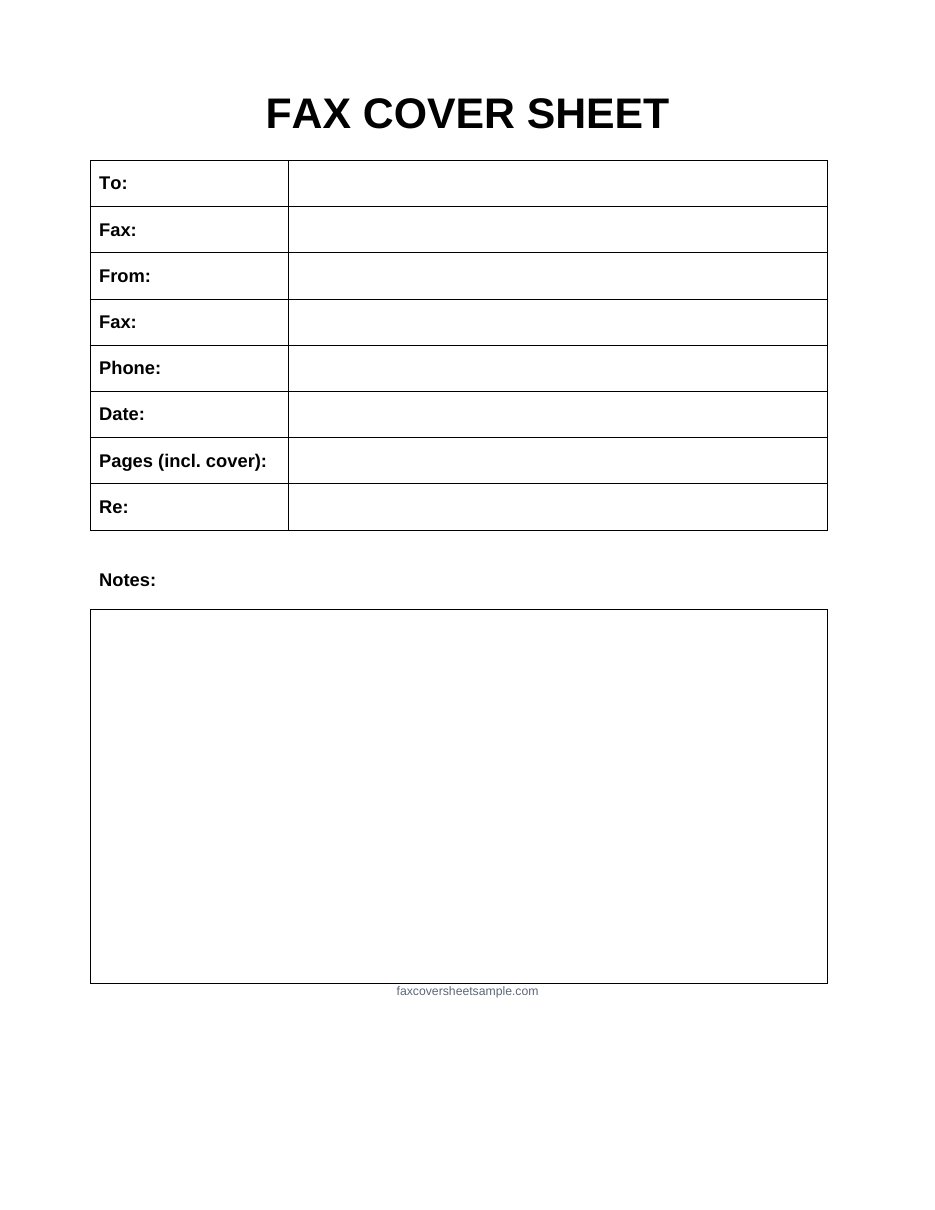
Basic Blank Fax Cover Sheet
A simple table with To, Fax, From, Phone, Date, Pages and Re, then a box for notes. Nothing extra, so it is quick to fill in.
Filling In a Blank Sheet by Hand
Fax machines scan in black and white, so small choices decide whether your sheet is easy to read on the other end:
- Use black or dark blue ink. Pencil, yellow and light colors can fade or disappear.
- Print in capital letters. Names and numbers are easier to read, and a wrong digit in a fax number is a common mistake.
- Press firmly and stay on the lines. Writing that touches the box edges can blur.
- Write a clear fax number. Include the area code, and read it back before you send.
- Keep the note short. Two or three lines fit most blank sheets.
Which Blank Format Should You Use?
| You plan to | Best choice | Why |
|---|---|---|
| Print it and write by hand | Looks the same on every printer | |
| Type your details, then print | Word | Easy to edit and reuse |
| Send by online fax | PDF (after typing) | Most online fax services accept PDF files |
| Add a company logo | Word | You can insert an image |
Making Your Own Blank Template
If you want a blank sheet with your own look, keep these points in mind:
- Use black text on a white page. Dark shading and colored backgrounds turn into grey blocks when faxed.
- Choose a plain font at 11 or 12 points. Fancy or very small fonts can blur.
- Leave room for a note, and for a signature if you need one.
- Add your name or logo and fax number at the top, so the receiver can reach you.
More Information
A fax cover sheet is just like a cover letter for your job application. It is helpful to have a cover sheet with every fax message, because it makes your fax more formal and professional. Not everyone uses cover sheets, but it is still good practice and a chance to make an impression on your client or customer.
A variety of printable blank fax cover sheet PDF templates are shared here for free download. Go through the templates on this page and download a suitable one for your use. You can find more cover pages on this site if you need a different style.
FAQs
Can I print a blank fax cover sheet and write on it?
Yes. Print the PDF on plain white paper and fill it in with black or dark blue ink.
Do I need to fill in every field?
No. Fill in the ones that apply. At minimum, add who the fax is for, their fax number, your name and phone number, and the number of pages.
Can I reuse one filled-in sheet for many faxes?
Only if the receiver stays the same. Change the date, page count and note each time.
Can I send a blank cover sheet by online fax?
Fill it in first, then save it as a PDF and upload it as the first page of your fax.
Which blank template is best for a business?
Use the Word version, add your company name and logo, and save it as your own master copy.