Fax Cover Sheet Google Docs Template Editable
Fax cover sheet google docs is a document that is sent to the recipient before the actual fax, the purpose of sending this sheet is to let the recipient knows who is sending the fax and what’s the purpose of sending it, so that recipient can prepare accordingly. Different type of coversheets are available these days and through this post we’re covering google docs fax cover sheet templates, you can download and print google docs cover pages from this page.
Sending a fax cover sheet is optional, but we advise our users to send because it makes your fax look more formal and professional. You should never leave a chance to make an impact and a good fax cover page does that for. Don’t know how to make a cover page? No worries, because here we got you covered, check out the free pages below and download a suitable one for your use.
This page has 8 templates. The first three have a Make a Copy button that saves your own editable copy to your Google Drive in one click. The other five download as files that open in Google Docs in about a minute. For more designs, our Word fax cover sheets also open in Google Docs.

Google DocsBest for: a clean, simple layout
Fax Cover Sheet Template Google Docs
A big “Fax Cover Sheet” title with dotted lines for To, From and Re, then Fax number, Pages, Phone contact and Date. Everything fits in the top half, which leaves plenty of white space for a short note.
There is always a debate on the use of fax cover sheet, there are people who find them extremely useful while some do not. We advise our users to use a coversheet and see how well it is working for your business or work. Making a cover page is no big deal once you have a good template with you, like the ones shared on this page.
With the advancement in technology, faxing has also changed a lot. Now you have can faxing online with your smart devices and this is where the use of google docs fax cover pages has increased. On this page you can find out different type of fax cover sheet templates available in Google Docs format. Open any cover sheet from here and edit in Google Docs to make your own cover sheet or page.

Google DocsBest for: faxes with a longer message
Editable Fax Cover Sheet Template Google Docs
A centered FAX title, with From and To side by side and matching Fax and Phone lines. A large shaded Message box fills the middle of the page. The shading turns light grey when faxed, so your typing stays easy to read.
For all those who are wondering what is a Google Docs, please note it’s a web based processing tool that is used to create and edit documents. Documents created using Google docs can be save online on the Google cloud server and you can access it via computer by logging in. You need a login credential and internet connection to access Google Docs from any computer or any part of the world.
You may also like:
- basic fax cover sheet
- personal fax cover sheet
- fax cover sheet pdf
- professional fax cover page
- editable fax cover pages
- confidential fax cover sheet
- blank fax cover letter
- IRS fax cover sheet
- standard fax cover page
- simple fax cover letter
- examples of fax cover sheet
- attention fax cover sheet
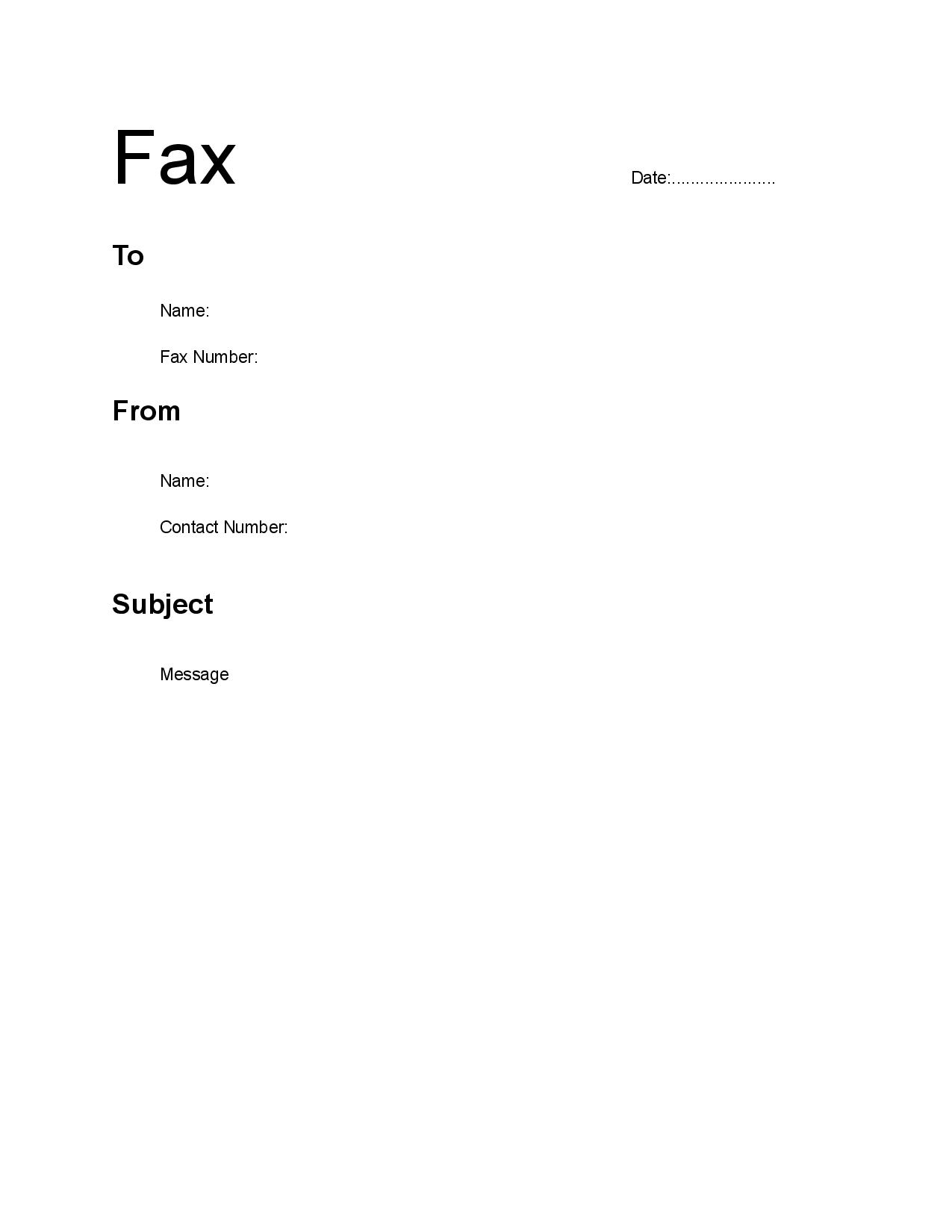
Google DocsBest for: a modern, open look
Google Docs Fax Cover Sheet Template
A large “Fax” title with the date in the top corner. To, From and Subject are set out as headings with labeled lines under each one, such as Name, Fax Number and Contact Number, followed by a Message area.
More Fax Cover Sheets You Can Open in Google Docs
These five templates come as Word files that open in Google Docs. It takes about a minute:
- Click Download for Google Docs under the template you want.
- Go to drive.google.com and click New > File upload, then pick the file.
- Double-click the file in Google Drive, then click Open with Google Docs at the top.
- Go to File > Save as Google Docs to get a version you can edit freely.
NewWord file for Google DocsBest for: any fax, with every field included
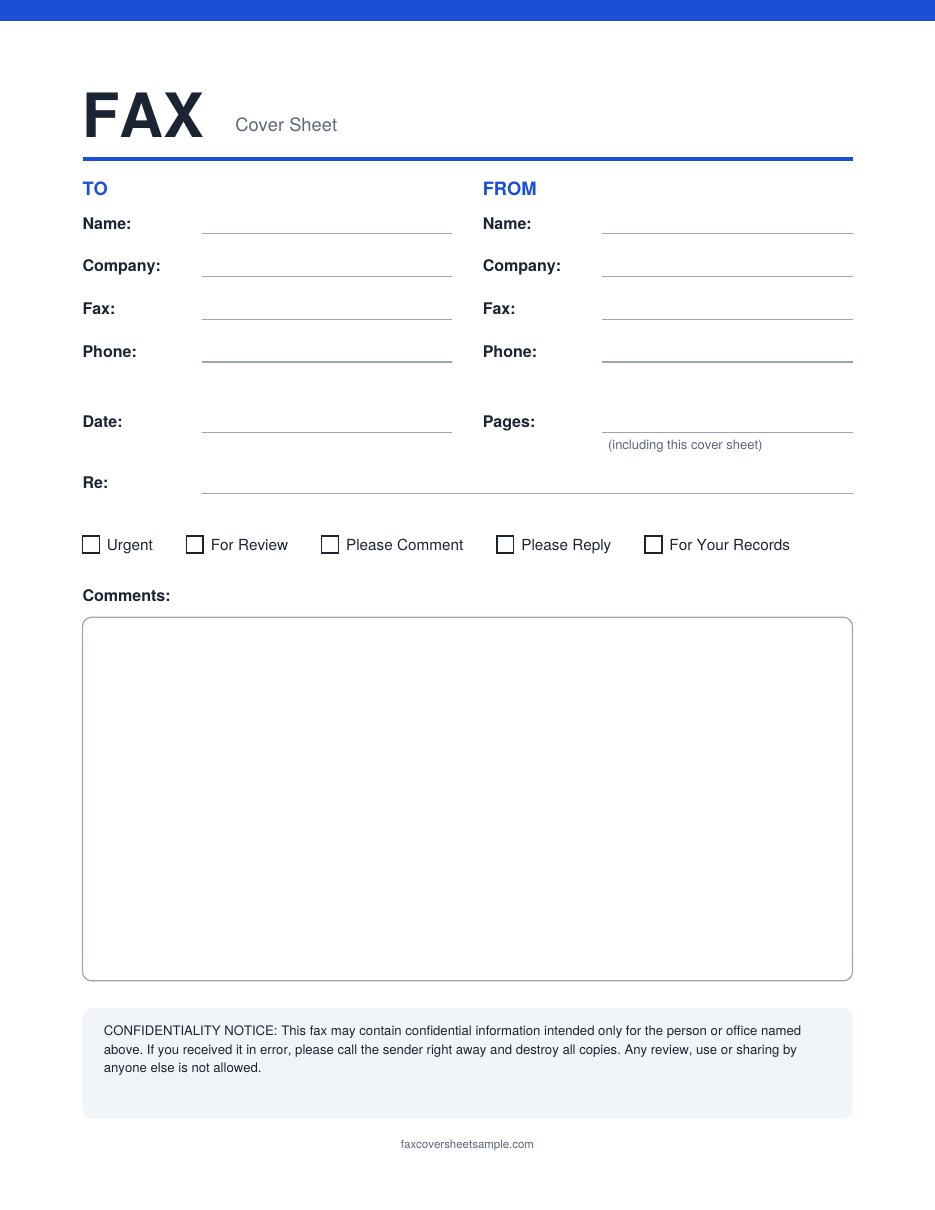
Standard Fax Cover Sheet
To and From sections with name, company, fax and phone, plus date, pages and a Re line. Tick boxes for Urgent, For Review, Please Comment, Please Reply and For Your Records sit above a large comments box, with a short confidentiality notice at the bottom.
NewWord file for Google DocsBest for: quick, everyday faxes
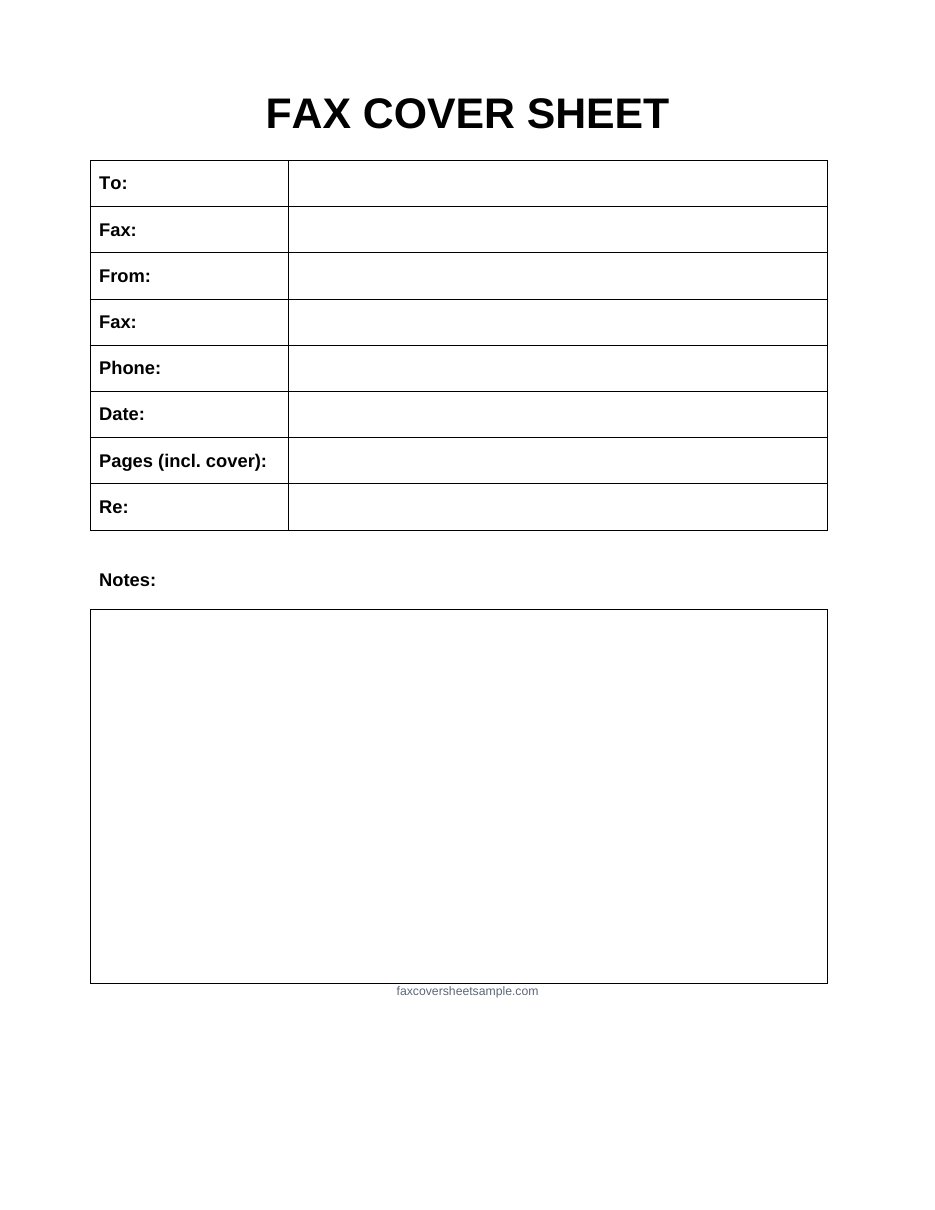
Basic Fax Cover Sheet
A simple table with To, Fax, From, Phone, Date, Pages and Re, then a box for notes. It has nothing extra, so it is quick to fill in and easy to read on the other end.
NewWord file for Google DocsBest for: offices that fax every day
Company Details Fax Cover Sheet
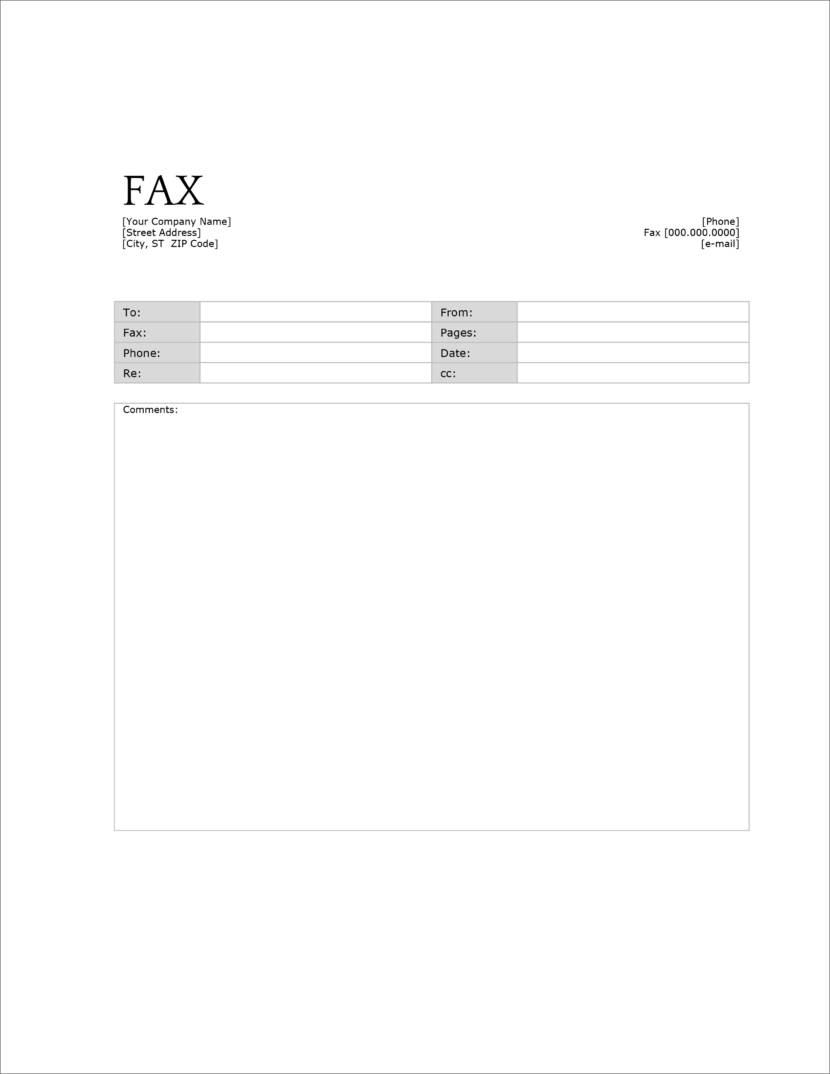
Your company name, address, phone, fax and email go at the top. Below is a table with shaded labels for To, Fax, Phone, Re, From, Pages, Date and CC, and a large Comments box. Fill in your company details once and keep your copy for every fax.

NewWord file for Google DocsBest for: clinics, labs and medical offices
HIPAA Health Information Fax Cover Sheet
From, To, Fax and Date lines, a page count and lines for comments, followed by a bold notice that health information is enclosed and a second notice for anyone who gets the fax by mistake.
NewWord file for Google DocsBest for: faxing a resume or job form
Job Application Fax Cover Sheet
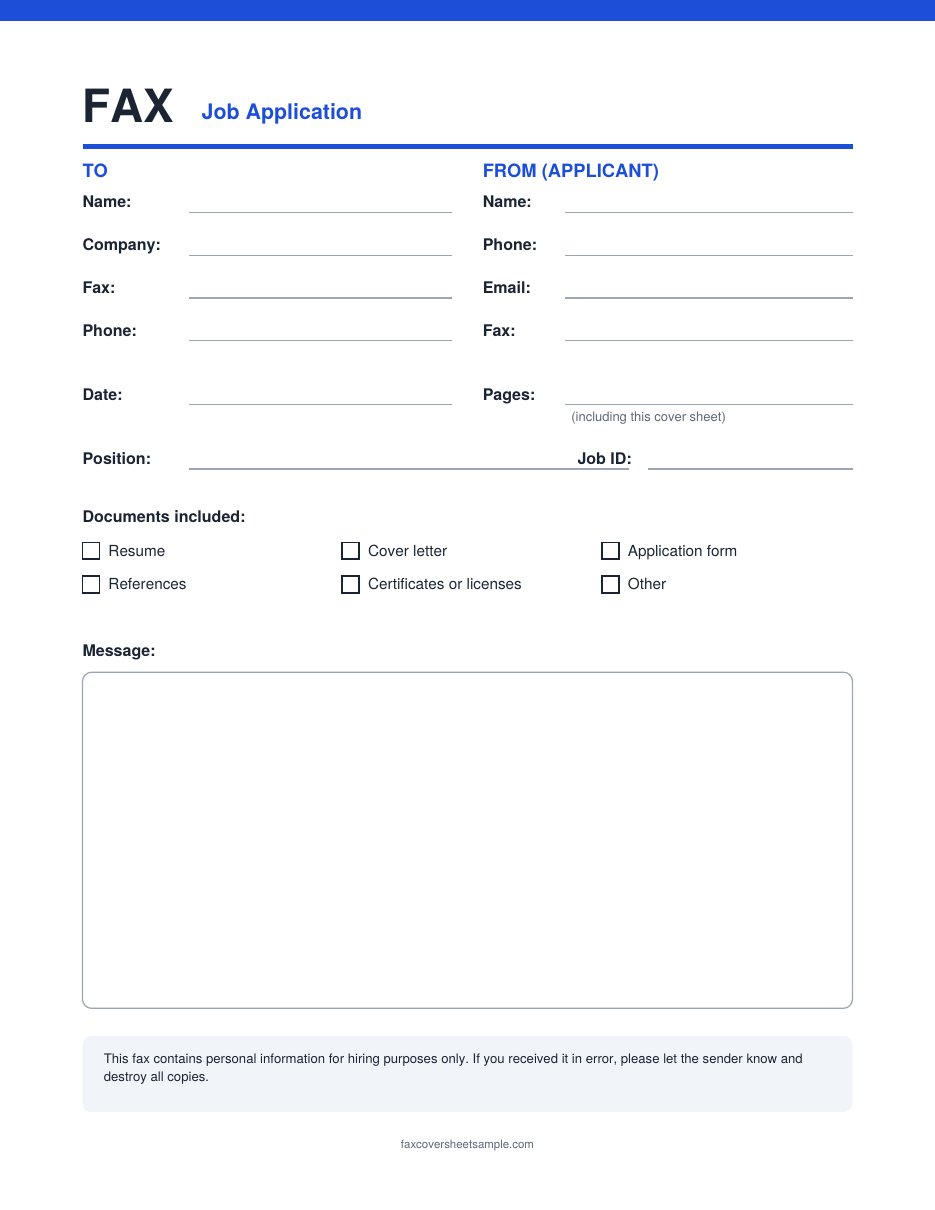
Sections for the employer and for you as the applicant, plus the position, job ID and tick boxes for what you are sending, such as a resume, cover letter or references. A message box gives you room for a short note to the hiring manager.
What is Google Docs?
Google Docs is a free word process from Google, you can create, edit, and shared documents and access them online. You can even use the Google Docs app in your mobile devices. Google Docs is the online version of the word processing software that you use in your computer. Google Docs allow users to edit their documents online, save them, and even shared with other people.
Creating and accessing Google Docs documents is super easy and that’s why more and more people are using them. If you are also in search of google docs fax pages then check out the templates here.
How to Edit and Download Fax Cover Sheet from Google Docs?
If you are looking to edit and download the fax cover sheet template from Google Docs then follow the steps shared below.
To Edit and Download the Cover Sheet
- You need to open the cover sheet in Google Docs
- Then Click on File >>> Make a Copy >>> Click “Make a Copy” (Your copy will open in a new tab)
- Edit the fax cover sheet as per your need or requirement in the copied version.
- Click on “File”, select “Download”
- Choose the format in which you want to download a coversheet.
You can also Download the PDF file and take a print-out for your use.
Quicker Ways to Use These Templates
- Skip the menus: the Make a Copy in Google Docs button on each template opens the copy screen straight away. Click Make a copy and your own version opens, saved in your Google Drive.
- Rename your copy: click the file name at the top left, for example “Fax cover sheet, my office”, so it is easy to find next time.
- Add your logo: click where you want it, then go to Insert > Image > Upload from computer.
- Keep your details: fill in your own name, phone and fax number once and keep that copy. Next time, use File > Make a copy on it and you only add the receiver, date and pages.
- On a phone: open the template link in the Google Docs app, tap the three dots, then Share & export > Make a copy.
Sending Your Google Docs Cover Sheet by Fax
Fax machines and online fax services cannot open a Google Docs link. Go to File > Download > PDF Document (.pdf), then print the PDF for a fax machine, or upload it as the first page of an online fax before your other documents.
Fixing Common Google Docs Problems
- “You need access” or “Request access”: you do not need to ask. Use the Make a Copy button instead, and make sure you are signed in to a Google account.
- “Make a copy” is greyed out: you are not signed in. Sign in to any Google account, then try again.
- Dotted lines jump to the next line when you type: delete a few dots for each word you add, or select the dots and type over them.
- The layout looks different in Word: Google Docs and Word space text a little differently. Download as PDF if you just need to print or fax it.
- The shaded box prints too dark: click inside the box, go to Format > Table > Table properties and pick a lighter background color, or white.
More Information
Now you have multiple Fax Cover Sheet Templates in Google Docs format and you know how to edit or download a template from the Google Docs. We are hoping you like the templates and information shared on this page, if yes, then do shared it with other people as well. For more such useful fax cover pages, you need to keep checking this site.
FAQs
Do I need a Google account to use these templates?
You can view them without one. To make your own editable copy, you need a free Google account.
Will other people see my copy?
No. Your copy is saved in your own Google Drive and stays private unless you choose to share it.
Should I edit the original template?
No. Make a copy and edit that instead. Your copy is yours to change, and the original stays clean for the next person.
Can I turn a Google Docs template into a Word file?
Yes. In your copy, go to File > Download > Microsoft Word (.docx). Check the spacing after you open it in Word.
Are these Google Docs templates free?
Yes. All eight templates are free to copy, download, edit and print for personal or business use.